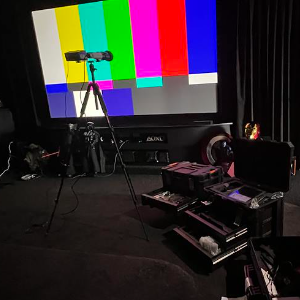
Measure what the system is doing. Understand why. Make controlled changes. Measure again. Document the result.
Why calibrate?
Good equipment doesn't set itself up.
New loudspeakers, processors, projectors and TVs rarely perform at their best out of the box. Factory settings and automatic setup routines are generic, while your room, seating and system are not.
Sound
The room has as much influence on what you hear as the loudspeakers do. Reflections and room modes create boomy or missing bass that changes from seat to seat, and automatic setup routines often get levels, distances, crossovers and subwoofer integration wrong.
Bass that booms in one seat and disappears in another
Subwoofers working against each other
Dialogue that's hard to follow
Effects that don't move cleanly around the room
Picture
Displays are set up to stand out in a bright showroom, so default modes push brightness, colour and sharpness beyond what the film-maker intended. Every unit is slightly different, and your room's lighting and source devices matter too.
An image that's too bright, too dark or tiring to watch
Lost detail in dark scenes or bright highlights
Skin tones and colours that look unnatural
HDR that looks dim, clipped or inconsistent
Levels of calibration
Standard or advanced: matched to your system.
Not every system needs the same depth of work. The level depends on the equipment, the room and what you want to achieve.
Standard calibration
For typical home theatre and living-room systems.
Sound: speaker levels, distances and timing, crossovers and bass management, subwoofer integration, and room-correction setup and verification
Picture: projector or TV calibration of brightness, black level, greyscale, gamma and colour, for SDR and HDR, with day and night presets
Advanced calibration
For high-performance theatres and specialist processors.
Sound: high channel-count immersive systems, multiple subwoofers, and advanced processors such as StormAudio and Trinnov, with multiple presets for different listening needs
Picture: 3D LUT calibration with madVR Envy and Lumagen Radiance Pro, HDR tone-mapping setup, and multiple presets for different content and conditions
The process
Measure → understand → calibrate → verify.
Establish system condition and configuration
Capture baseline measurements
Identify the limiting issues
Make controlled configuration/calibration changes
Re-measure and verify
Explain what changed and why
Provide qualifying documentation
Measured. Verified. Documented.
Two documents. Two different purposes.
A Certificate of Performance recognises a demonstrated result. A Calibration Report explains the measurements and decisions behind it. They are separate deliverables, and the documentation provided depends on the work undertaken.
01 / Client-facing confirmation
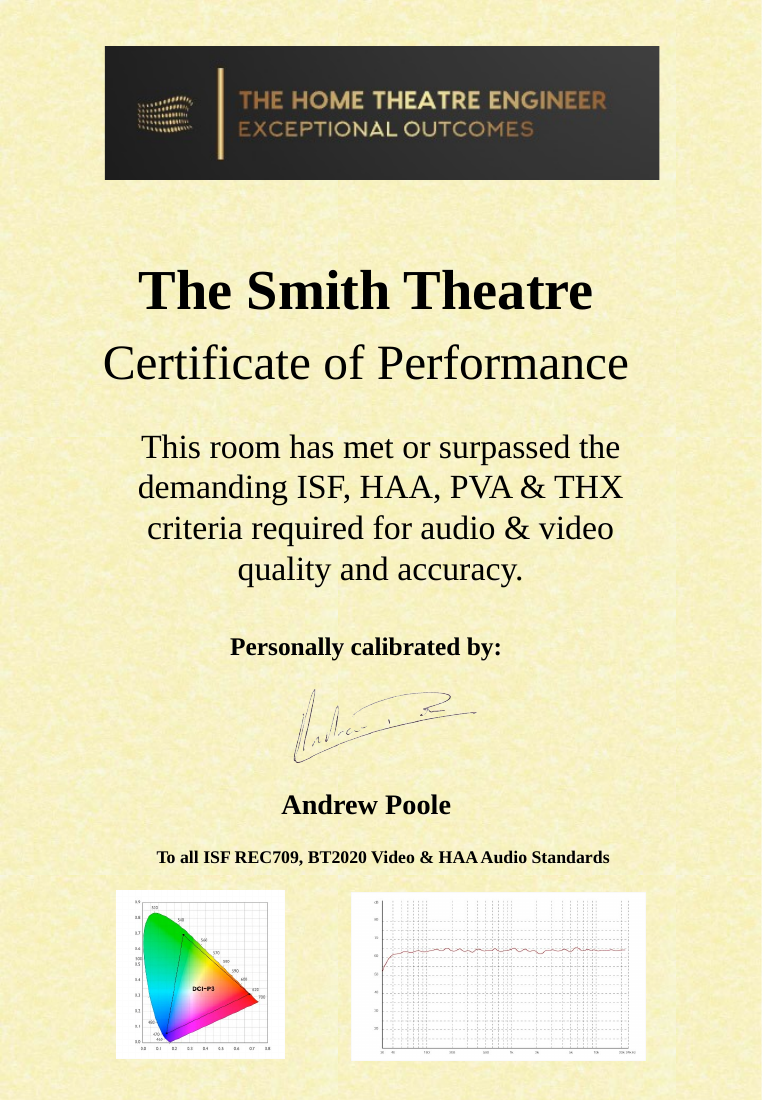
Certificate of Performance
A concise, presentable record of the project, the work performed and the outcomes actually verified. Where a particular performance criterion is stated, it must be supported by the measurements and scope of that project.
Example of a previously issued certificate. Project-specific claims are not automatically applicable to other rooms.
02 / Technical evidence
Calibration Report
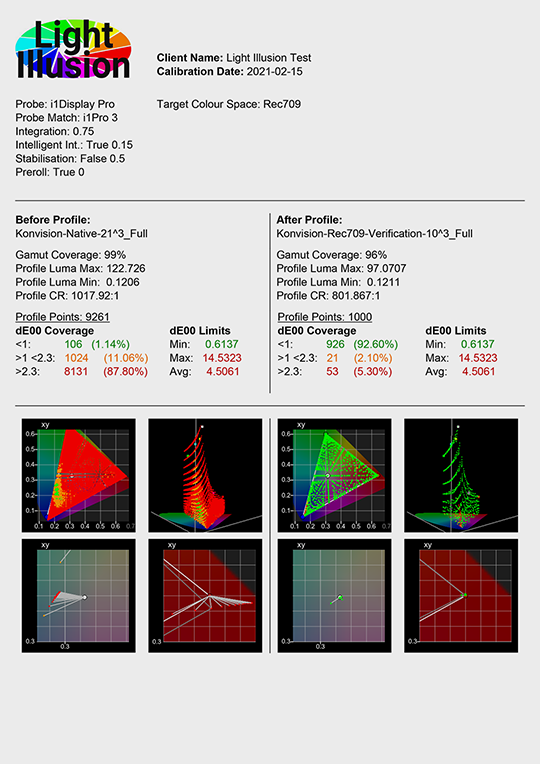
The technical record of what was measured, what was adjusted, and what the system achieved after calibration. It may also document limitations and targets that could not be met.
Example before-and-after calibration report. Select the image to view it full size. Results shown are from an example project, not a performance guarantee.
Important: A calibration report can document a useful improvement even when a system cannot meet every target. A Certificate of Performance must not imply compliance with untested or unmet criteria.
Evidence, not theatre
“It sounds better” isn't the end of the job.
Where appropriate, the customer should be able to see what was measured, what changed and what the final system is doing.